How to Send a Check Online from Your Desktop: Complete Web App Guide
Need to mail a check but don't have a printer, stamps, or envelopes? With Check Supply Web, you can send physical checks directly from your desktop or laptop browser in minutes. This guide walks you through every step of the process.
Check Supply is available on both iOS and the web. Whether you're at your desk or on the go, you can connect your bank, enter payment details, and have a real check printed and mailed—all without leaving your browser.
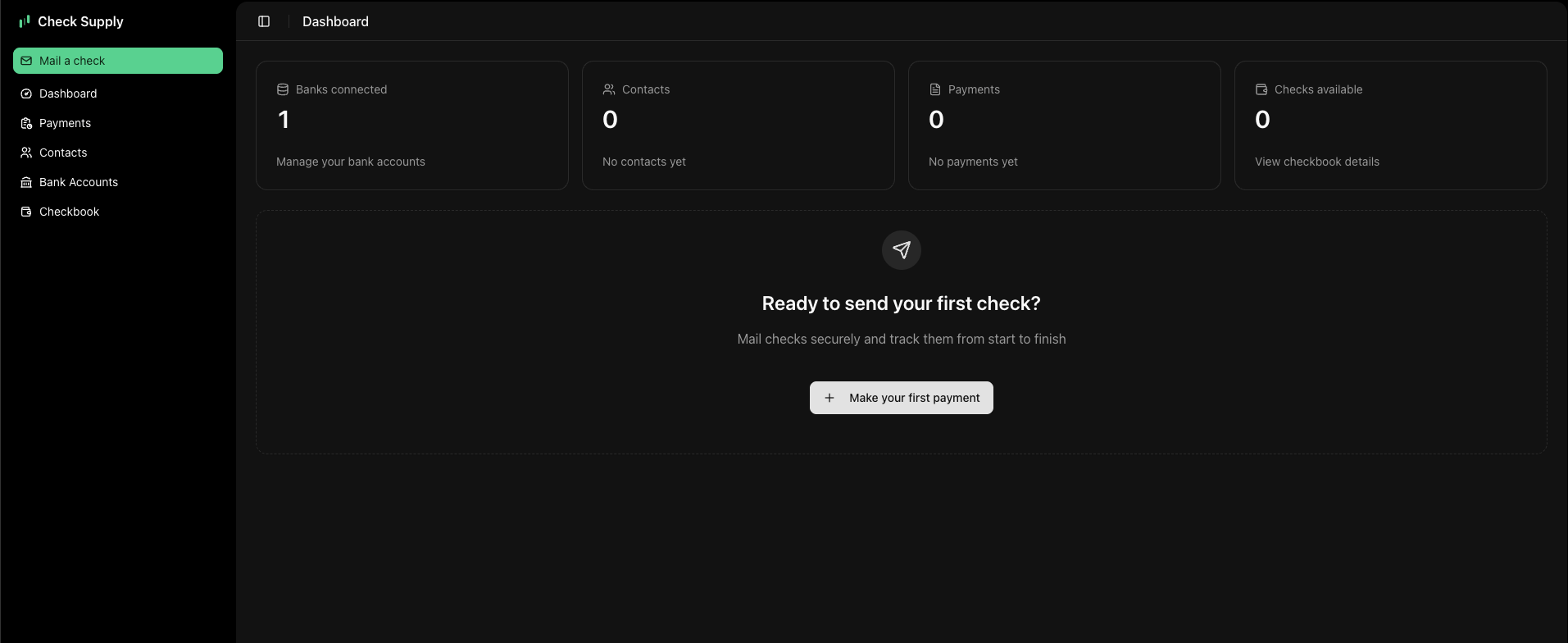
Getting Started: Sign In or Create an Account
Getting started is easy. You can sign up or log in with Google Accounts at my.check.supply.
Already have an account from our iOS app? No problem! If you created an account using Sign in with Apple, our system is fully backwards compatible. Simply log in, and all your data—including payment history and contacts—will load instantly.
Step 1: Connect Your Bank Account
Securely connect to your banking institution to fund your checks. We support thousands of banks, including top institutions like Chase, Bank of America, Citigroup, Wells Fargo, and Capital One.
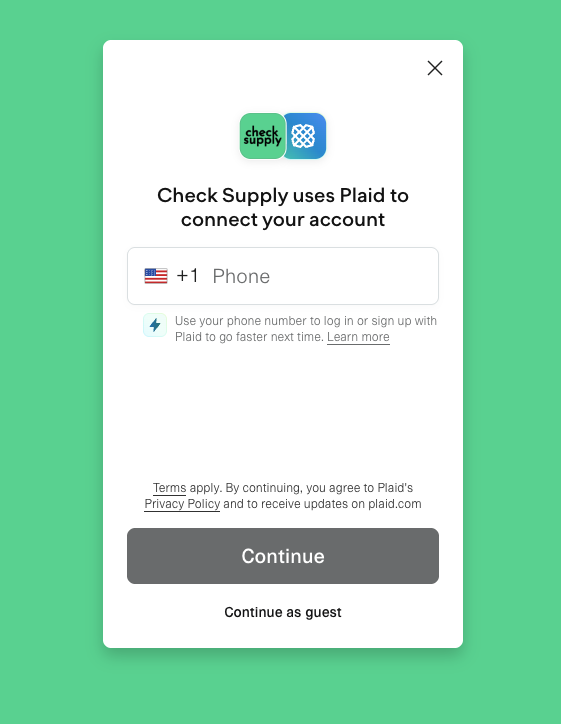
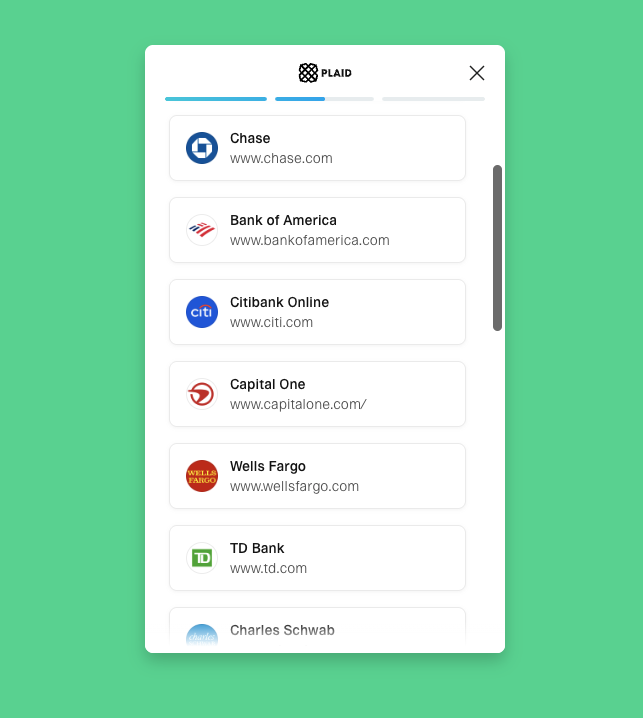
You can verify your identity and account ownership in seconds. For a full list of supported institutions, visit our Banks page.
Step 2: Enter Payment Details & Validate Address
Navigate to the Pay tab (or click "Make your first payment" from the dashboard). Enter the recipient's name and address.
Our system includes built-in USPS address validation to ensure deliverability. This feature checks your recipient's address against official records to minimize returned mail and delays.
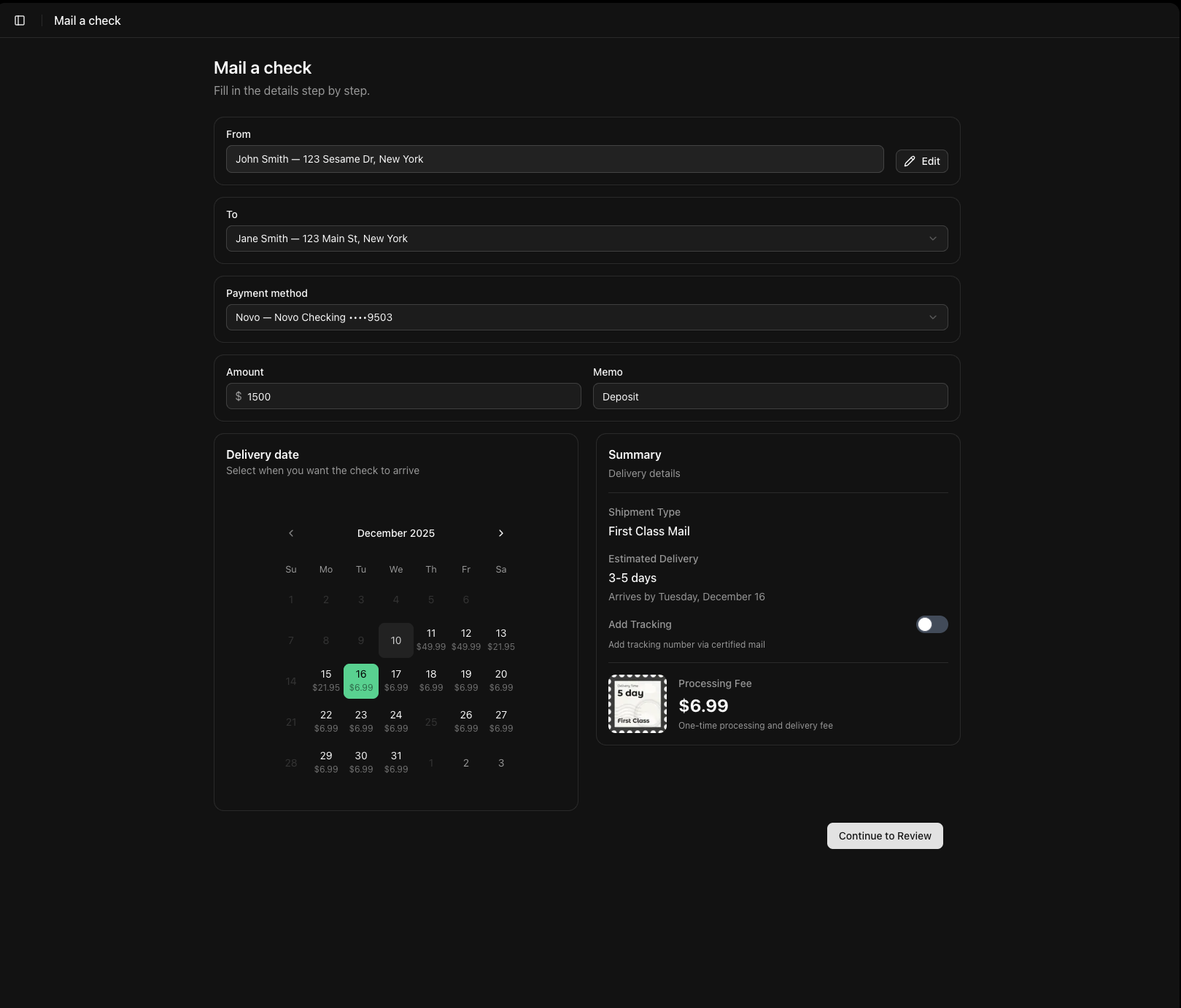
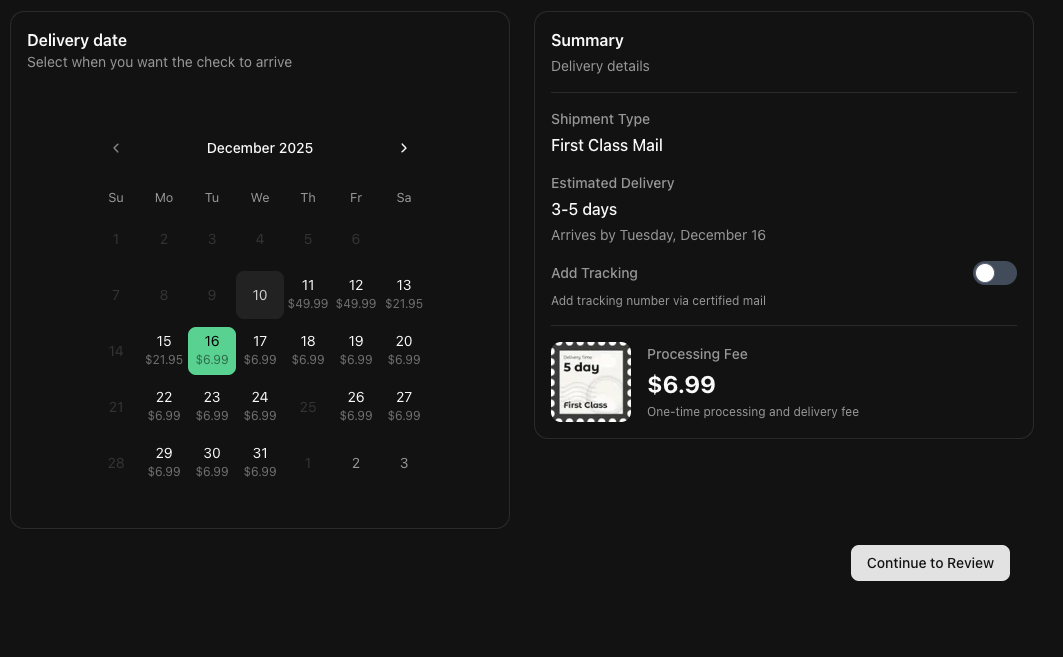
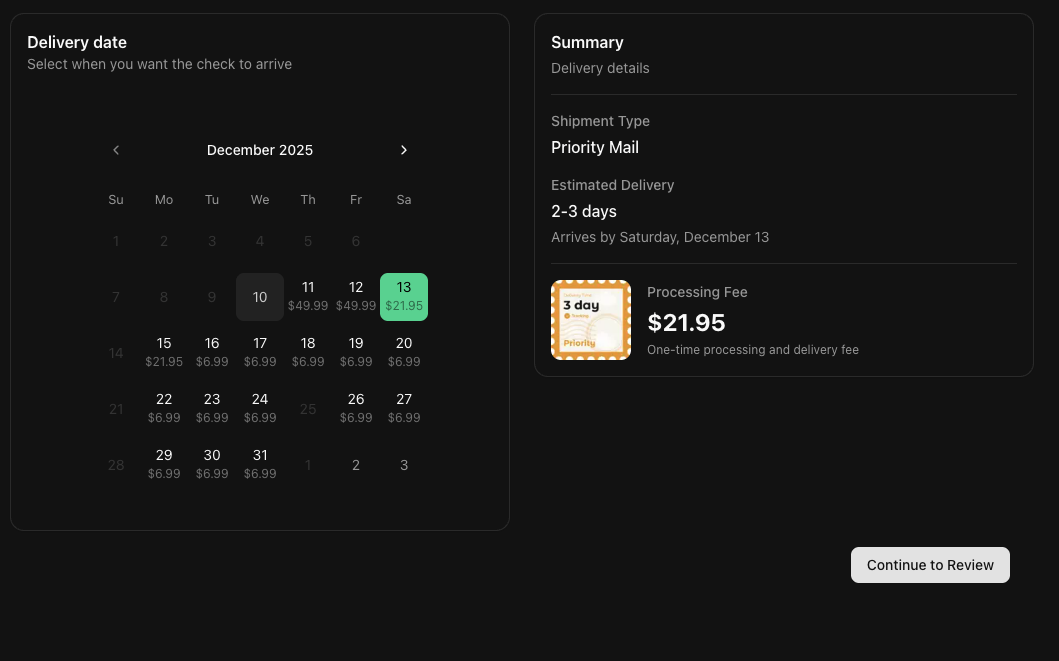
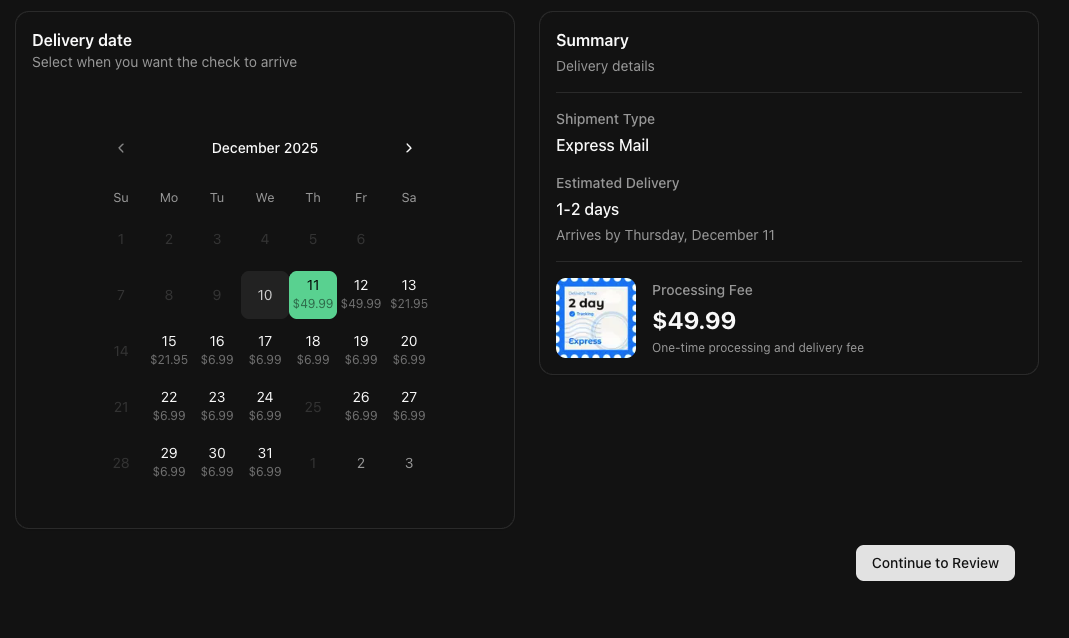
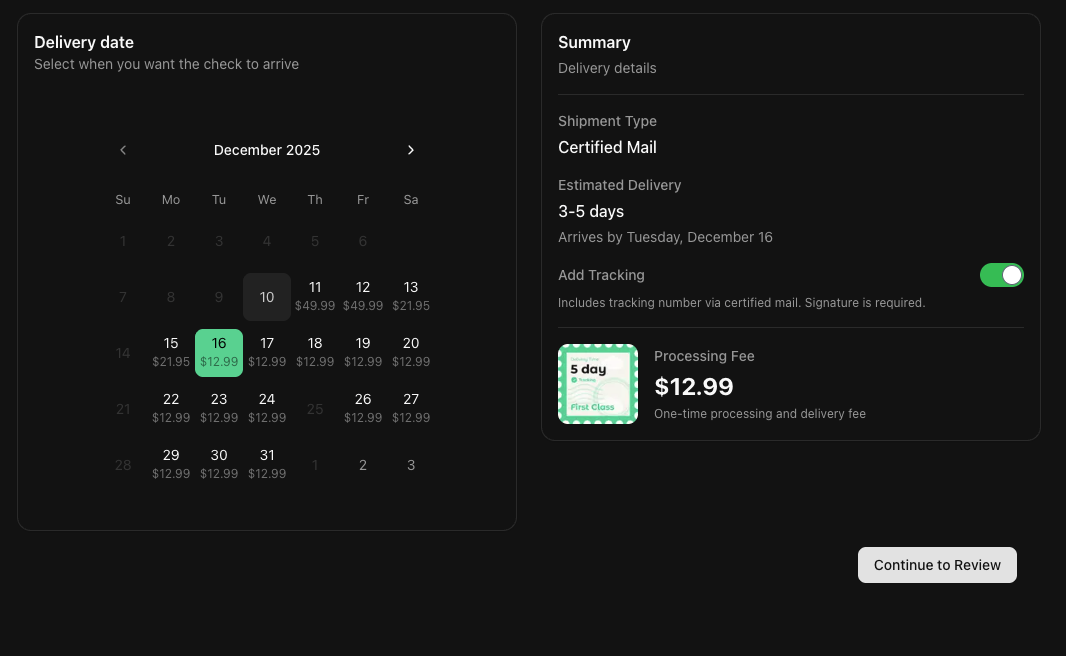
Step 3: Choose Your Shipping Speed
Need it there fast? We offer flexible shipping options to meet your deadline:
- First Class Mail: Standard delivery (3-5 days).
- Priority Mail: Faster delivery with tracking (2-3 days).
- Express Mail: Overnight or 2-day delivery for urgent payments (1-2 days).
- Certified Mail: Proof of mailing and delivery.
Step 4: Add Your Signature
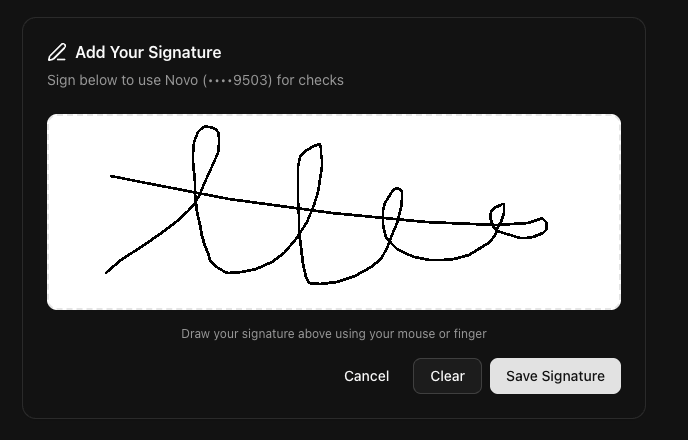
You can draw your signature directly on the screen using your mouse or trackpad. This adds a personal touch and authorizes the check.
Step 5: Review and Send
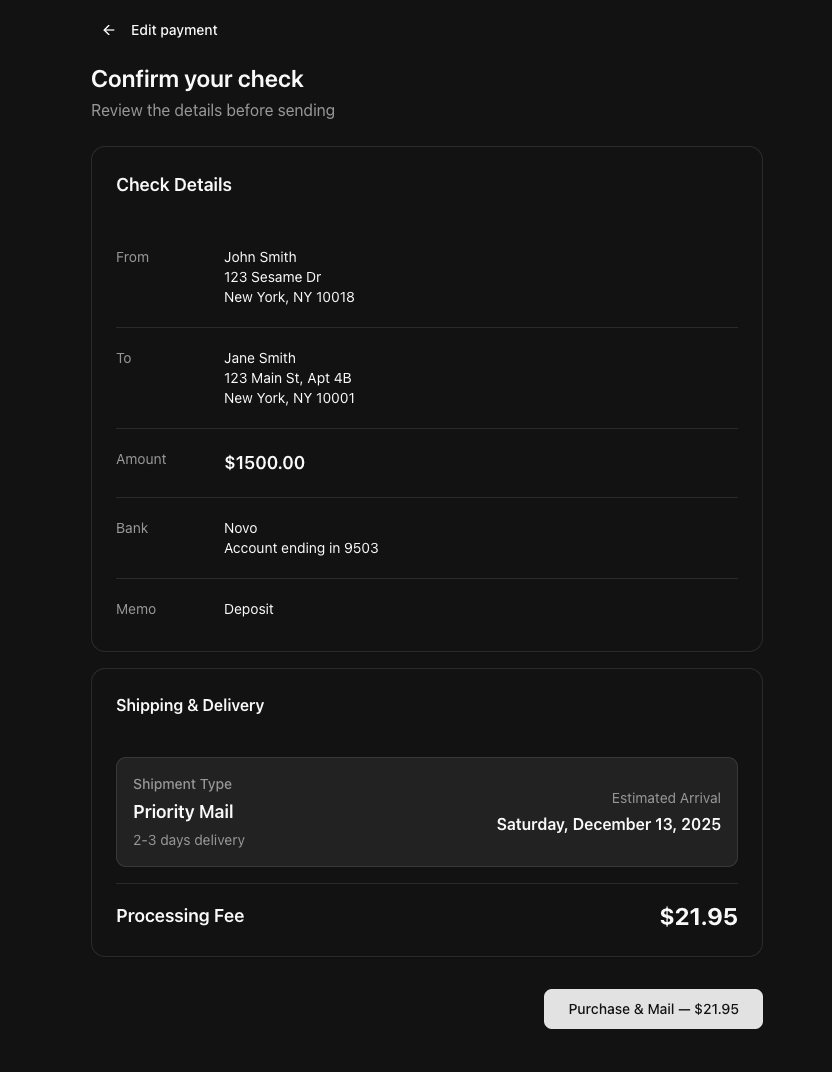
Double-check all the details on the confirmation screen. You'll see the total cost, estimated arrival date, and shipping method. Once confirmed, your check is sent to our printing facility.
Additional Features
Bulk Check Purchasing
Need to send multiple checks? Check Supply Web supports bulk check purchases. Save time and streamline your accounts payable process by handling multiple payments efficiently.
Real-Time Tracking
Track every check from start to finish. You get detailed tracking statuses:
- Scheduled: Payment is queued.
- Printing: Check is being generated.
- Printed: Check is ready for mail.
- Shipped: Check has been handed to USPS.
- Delivered: Check has arrived at the destination.
Questions or Feedback?
We are constantly working to improve Check Supply. If you run into any issues, have feature requests, or just want to share your thoughts, please email us at support@check.supply.
Frequently Asked Questions
Is Check Supply secure?
Yes. We use bank-level encryption to protect your data. We partner with Plaid to securely connect your bank accounts, meaning we never see or store your login credentials.
How long does delivery take?
It depends on the shipping method you choose. First Class mail typically takes 3-5 business days, while Express Mail can arrive in 1-2 days. You can see the estimated delivery date before you pay.
Can I use my existing Check Supply account?
Absolutely. If you already have an account from our iOS app (even if created with Apple Sign-in), you can log in to the web app and access all your data immediately.
What banks do you support?
We support thousands of institutions, including major banks like Chase, Bank of America, Wells Fargo, and Citibank. View our complete list of supported banks.